Seed Inventory Management
The Seed Inventory module tracks physical seed stock across regional warehouses, seed processing plants, and local distribution centers.
Inward Seed Batches
- Go to Seed & Inputs > Seed Inventory.
- Click Inward Batch.
- Fill in batch parameters:
- Crop & Variety: Selected from standard master catalog.
- Lot / Batch Number: Manufacturer or certification lot number.
- Quantity: Total weight in metric tons or quintals, plus bag count.
- Warehouse Location: Destination storage facility.
- Certification Number & Expiry Date: Valid seed validity period.
- Germination Rate (%) & Purity (%): Laboratory test results.
- Click Receive Batch.
Inventory Statuses
Each batch in the system moves through life cycle statuses:
- Available: Tested, certified, and ready for allocation.
- Reserved: Allocated to active crop plans, awaiting physical dispatch.
- Dispatched: Shipped to field distribution centers.
- Quarantined: Flagged for testing or expired; cannot be allocated.
Seed Quality Inspection
A finished lot cannot leave the warehouse until a quality officer records a decision. New lots start as Pending Inspection. This is the warehouse quality check on the seed lot. Field scouting of a growing crop is a separate task under Field Inspections.
Open Seed Inventory. The stock table shows a Quality Status for every lot, and Quality QC on the row.
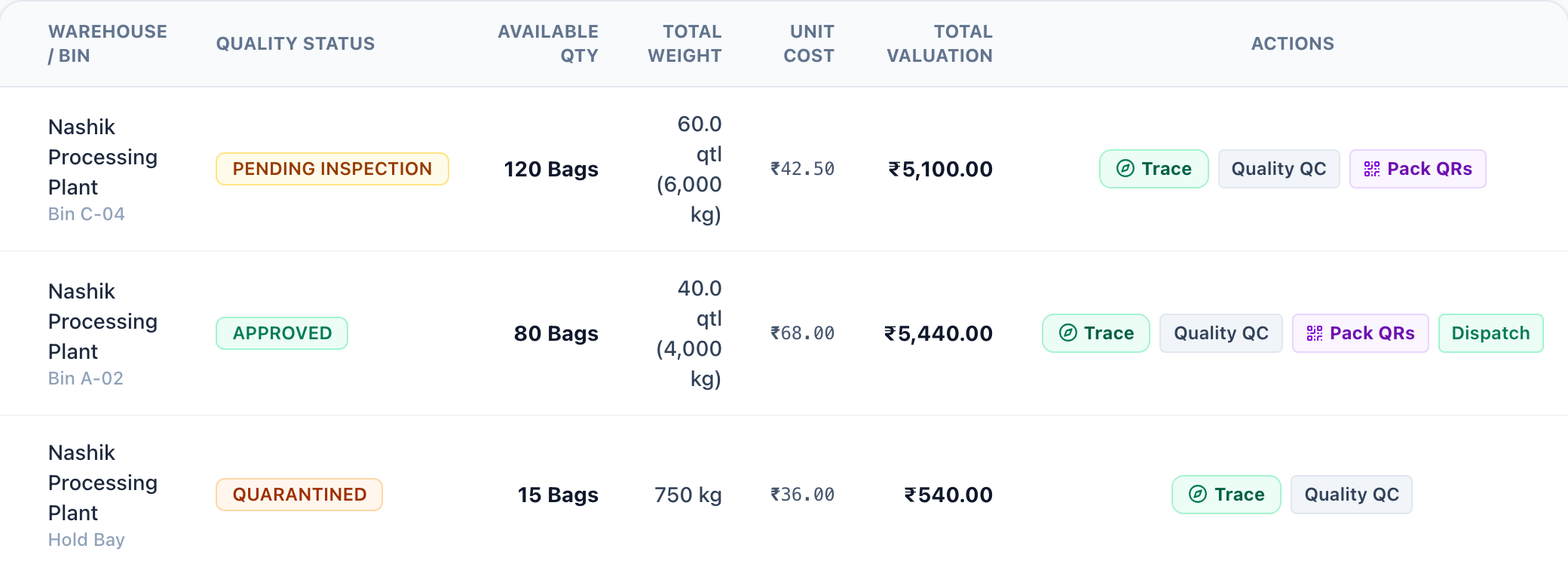
- On the lot row, click Quality QC. The same action is available from the batch trace view.
- Review the crop, variety, and batch number shown on Seed Quality Inspection.
- Choose a Quality Decision:
- Approved: The lot passed germination and purity. It can be dispatched when it is finished goods and still has quantity on hand. A lot that was held is returned to finished goods, or to raw material when it came from farmer procurement.
- Quarantined: Hold the lot for laboratory confirmation. It moves to rejected or quarantined stock and cannot be dispatched.
- Rejected: The lot failed quality requirements. It moves to rejected or quarantined stock and cannot be dispatched.
- Pending Inspection: Leave the lot waiting for a result.
- Add inspection observations, such as moisture, germination, and purity.
- Click Update Quality Status.
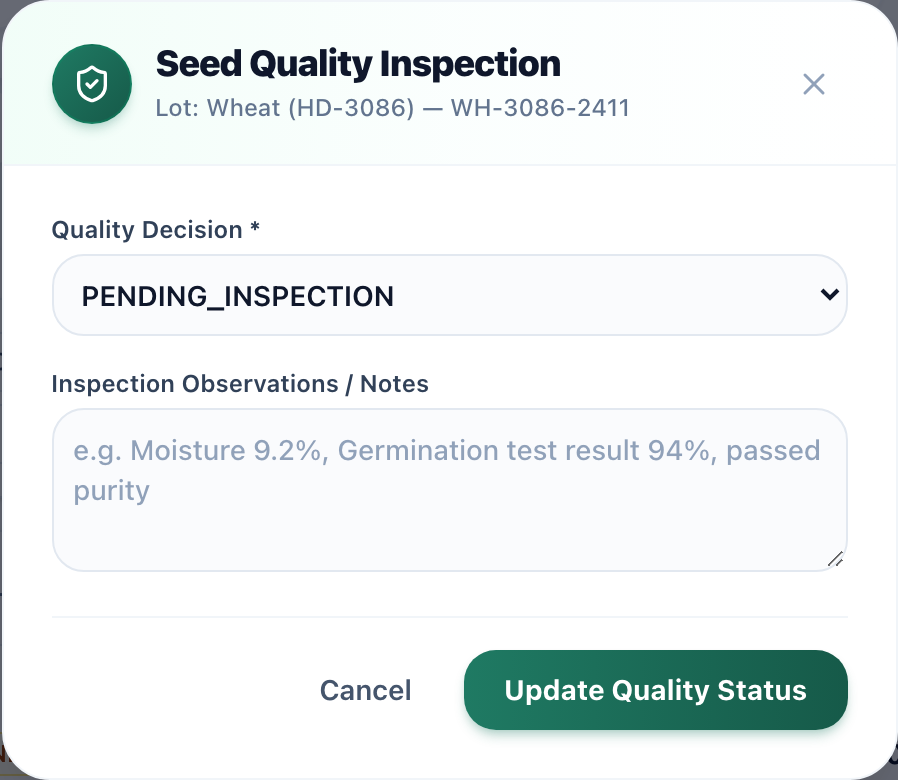
Sale dispatch only lists finished lots that are Approved and still have quantity. The dispatch screen states that only quality-approved finished seed stock is eligible.
Low Stock Alerts
Administrators can set minimum thresholds per variety. When inventory drops below the safety threshold, automated notifications are sent to the procurement team.